 Sho
Sho1.What is JavaScript? Complete Introduction for Frontend Developers
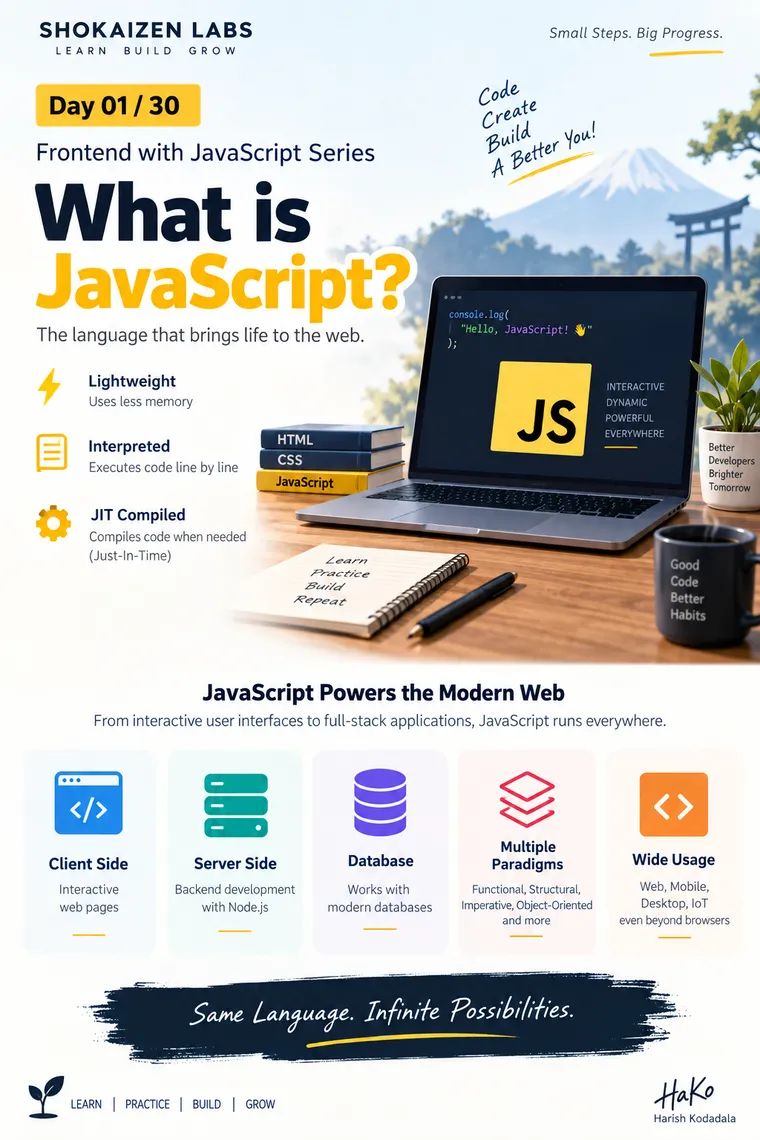
#1. What is JavaScript?
From Browser Scripting to the Language Powering the Modern Web
Frontend with JavaScript — 30 Days of Shokaizen Learning
JavaScript is one of the most important technologies in modern frontend development.
When you open a website and see a dropdown menu open, a button respond instantly, a form validate your input, products update without refreshing the page, or new content appear dynamically, JavaScript is often responsible for making that experience possible.
But JavaScript is much more than a “browser scripting language.”
Today, JavaScript can be used for frontend applications, backend services, command-line tools, desktop applications, mobile applications, automation, and many other environments.
So before learning variables, functions, arrays, promises, or frameworks, it is worth understanding one fundamental question:
What exactly is JavaScript?
1. What is JavaScript?
JavaScript is a high-level, dynamically typed, multi-paradigm programming language that was originally created to make web pages interactive.
A simple example is:
console.log("Hello, JavaScript!");But JavaScript’s role in modern applications goes far beyond printing messages.
It can:
- Respond to user interactions
- Modify HTML dynamically
- Change CSS styles
- Validate forms
- Communicate with backend APIs
- Store information in the browser
- Handle asynchronous operations
- Build complete frontend applications
- Run backend applications using environments such as Node.js
- Power tooling and automation
A useful way to think about it is:
HTML → StructureCSS → PresentationJavaScript → Behaviour + Logic + InteractionFor example:
User clicks "Buy Now"        ↓JavaScript detects the click        ↓JavaScript validates the action        ↓JavaScript calls an API        ↓Server processes the request        ↓JavaScript receives the response        ↓UI is updatedJavaScript
  - Javascript is a light weight interpreted and JIT compiled programming language.
           * Light weight refers to less memory.
           * Interpreted refer to line-by-line translation.
           * Compiling is the process of translating all lines simultaneously at the same time.
           * JIT refers to Just-In-Time, it is the process of compiling the code when requested.
           * AOT is Ahead-Of-Time, which is pre-compiled and ready to render on request.
  - Javascript supports various programming paradigms like
           a) functional
           b) structural
           c) imperative
           d) object oriented etc.
  - Javascript is a language used in various application layers
           a) Client Side
           b) Server Side
           c) Database
           d) Action Script  etc.
  JavaScript Client Side:
   - Client side script is used to reduce burden on server.
   - It can manage interactions on client devices instead of requesting from server every time.
   - It improves the performance of application as it is faster in communication.
   - Javascript client side can manage
           a) DOM Interactions
           b) BOM Interactions
           c) Validations
           d) Data Storage etc.
   - DOM Interactions include
           a) Data Binding
           b) Style Binding
           c) Class Binding
           e) Event Binding etc.
               [adding elements, removing elements, updating data into elements..]
   - BOM Interactions include
           a) Window Manipulations
           b) Location
           c) History
           d) Navigator etc.
    - Validations are required to ensure that contradictory and unauthorised data is not get
       stored into database.
    - Data Storage include
           a) Local Storage
           b) Session Storage
           c) Cookies
           d) Query String etc.
   JavaScript Evolution
       - CERN [Council for European Research and Nuclear] labs built ECMA Script as a
         script for first browser Mosaic.
       - In early 1995 Netscape Communications developed a browser called Netscape
         Navigator. Initially netscape used ECMA Script for browser.
       - Later Netscape appointed Brendan Eich to design a script for their browser.
       - Brendan Eich designed a script by name Mocha, which was later renamed as
         Live Script.
       - Netscape given the responsibility of Live Script to Sun Microsystems.
       - Sun Microsystems and Netscape together renamed the script as JavaScript.
       - Netscape stopped its services in early 2000 and given the responsibility of Javascript
         to ECMA International community.
                 ECMAScript 2015        ES5
                            2016        ES6
                            …………………..                           2025        ES16
   Issues with Javascript
       - It is not a strongly typed language.
                   var age = 20;
                   age = “John”;        // valid
       - It is not implicitly strictly typed language.
                   Strict        : Is about rules
                   Strong        : Is about data type        - It is not an OOP language, hence limited extensibility, reusability etc.
        - It can be blocked by browser.}
This ability to connect user interaction, application logic, APIs, and the UI is what makes JavaScript so important to frontend development.
2. Why is JavaScript Called Lightweight?
You may often hear JavaScript described as a lightweight language.
In this context, lightweight generally means that the language was designed to be relatively easy to embed and execute compared with heavier application platforms.
It does not simply mean:
“JavaScript always uses very little memory.”
Actual memory consumption depends on:
- Application size
- Data structures
- Browser
- JavaScript engine
- Number of objects
- DOM complexity
- Frameworks and libraries
- Runtime behaviour
Therefore, a better understanding is:
JavaScript is lightweight in its language/runtime design, but a JavaScript application can still consume significant memory.
3. Is JavaScript Interpreted or Compiled?
This is one of the most commonly misunderstood concepts about JavaScript.
Traditionally, JavaScript was described as an interpreted language.
The simplified explanation was:
Source Code ↓Interpreter ↓Execute instructionsAn interpreter was commonly explained as executing code without first producing a traditional standalone machine-code executable.
Compilation, on the other hand, is commonly represented as:
Source Code ↓Compiler ↓Machine Code ↓ExecutionHowever, modern JavaScript engines are considerably more sophisticated.
They don’t simply interpret every line independently.
Modern engines use techniques such as:
- Parsing
- Bytecode generation
- Interpretation
- Profiling
- Just-In-Time compilation
- Optimization
- Deoptimization
For example, modern browsers use JavaScript engines such as:
- V8 — Chrome and many other environments
- SpiderMonkey — Firefox
- JavaScriptCore — Safari
So the more accurate statement today is:
JavaScript is executed by modern engines using a combination of interpretation and Just-In-Time compilation techniques.
4. What is JIT Compilation?
JIT means Just-In-Time compilation.
Instead of compiling everything ahead of time into a traditional executable, a JavaScript engine can identify code that is frequently executed and optimize it while the program is running.
A simplified flow looks like this:
JavaScript Source ↓ Parser ↓ Intermediate Representation / Bytecode ↓ Execution ↓ Runtime Profiling ↓ Frequently executed code ↓ JIT Optimization ↓ Optimized Machine CodeImagine a function is called thousands of times.
The JavaScript engine can recognize that the function is “hot” code and optimize its execution.
This can significantly improve performance.
Important clarification
JIT does not mean:
“JavaScript compiles only when the programmer requests it.”
The JavaScript engine decides when and how to optimize code during execution.
5. What is AOT Compilation?
AOT means Ahead-Of-Time compilation.
The basic idea is:
Source Code ↓Compile before execution ↓Prepared output ↓ExecuteThis is different from JIT, where optimization can happen during runtime.
AOT compilation is common in many compiled-language ecosystems and is also used by various JavaScript-related tools and frameworks for specific purposes.
For example, frontend tooling can transform and optimize application code before it reaches the browser.
So:
| Concept | Meaning |
|---|---|
| Interpretation | Execute code through an interpreter/runtime mechanism |
| JIT | Compile/optimize during execution |
| AOT | Compile ahead of execution |
The important lesson is:
Don’t think of modern JavaScript as simply “interpreted.” Think of it as a language executed by highly optimized runtime engines.
6. JavaScript Supports Multiple Programming Paradigms
One of JavaScript’s biggest strengths is that it is a multi-paradigm language.
A programming paradigm is essentially a style or approach used to structure programs.
JavaScript supports several programming styles.
Functional Programming
Functions can be treated as values.
const add = (a, b) => a + b;Functions can be:
- Assigned to variables
- Passed as arguments
- Returned from other functions
This becomes extremely important when working with array methods, callbacks, promises, and modern frontend frameworks.
Imperative Programming
Imperative programming focuses on describing how something should happen.
let total = 0;
for (let i = 1; i <= 5; i++) {    total += i;}
The program explicitly describes the steps.
Object-Oriented Programming
JavaScript supports object-oriented programming, but its object model is different from classical class-based languages such as Java.
JavaScript uses a prototype-based object model.
Modern JavaScript also provides class syntax:
class User { constructor(name) { this.name = name; }}Internally, JavaScript’s object model is still based on prototypes.
We will explore this deeply later in the series.
Structured Programming
JavaScript supports structured programming using:
- Blocks
- Conditions
- Loops
- Functions
- Structured control flow
For example:
if (age >= 18) { console.log("Adult");}Therefore:
JavaScript ├── Functional ├── Imperative ├── Object-Oriented └── Structured programmingThis flexibility is one reason JavaScript can be used for many different types of applications.
7. Where Can JavaScript Run?
JavaScript started primarily as a browser language.
Today, JavaScript can run in many environments.
Client Side
This is where JavaScript interacts directly with the user’s browser.
Browser ↓HTML + CSS + JavaScript ↓Interactive Web ApplicationExamples include:
- Buttons
- Forms
- Menus
- Animations
- Dynamic content
- Client-side validation
- API calls
- Browser storage
Server Side
JavaScript can also run outside the browser.
A major example is Node.js.
Frontend ↓HTTP Request ↓Node.js Backend ↓Business Logic ↓DatabaseThis allows developers to use JavaScript for backend services and APIs as well.
Other Environments
JavaScript is also used in ecosystems involving:
- Desktop applications
- Mobile applications
- Automation
- Build tools
- Developer tooling
- Serverless applications
- Embedded environments
The important idea is:
JavaScript is a language. The environment in which it runs determines what capabilities are available to it.
This distinction is extremely important.
For example:
document.querySelector("#user");works in a browser because the browser provides the DOM API.
But document does not inherently belong to the JavaScript language itself.
8. JavaScript on the Client Side
Client-side JavaScript runs primarily within the user’s browser.
One of its major benefits is that many interactions can happen locally without requiring a round trip to the server.
For example:
User clicks button ↓JavaScript handles event ↓UI changes immediatelyInstead of:
User clicks button ↓Request server ↓Wait for response ↓Server responds ↓Update UIThis can improve responsiveness and reduce unnecessary server communication.
However, client-side JavaScript does not replace server-side validation or server-side security.
Anything running in the browser should be considered potentially controllable by the user.
9. What Can Client-Side JavaScript Do?
Client-side JavaScript commonly works with four major areas:
JavaScript │ ┌─────────────┼─────────────┐ ↓ ↓ ↓ DOM BOM Browser APIs │ │ │ ↓ ↓ ↓ UI/HTML Browser Storage/ Environment NetworkLet’s understand them.
10. DOM Interactions
DOM stands for Document Object Model.
When a browser loads HTML, it creates an object representation of the document.
For example:
<h1 id="title">Hello</h1>JavaScript can find that element:
const title = document.querySelector("#title");And change its content:
title.textContent = "Welcome!";This is the foundation of dynamic web pages.
JavaScript can:
- Find elements
- Add elements
- Remove elements
- Update content
- Modify attributes
- Change styles
- Add/remove CSS classes
- Attach event handlers
11. Data Binding
JavaScript can dynamically update data displayed on a webpage.
For example:
const username = "Harsha";
document.querySelector("#username").textContent = username;
The application data is reflected in the UI.
Modern frameworks such as React, Angular, and Vue provide more sophisticated approaches to managing this relationship between application state and UI.
12. Style and Class Manipulation
JavaScript can dynamically modify styles.
element.style.display = "none";It can also manipulate classes:
element.classList.add("active");This allows applications to respond visually to user actions.
For example:
Click Menu ↓JavaScript ↓Add "open" class ↓CSS displays menu13. Event Binding
Modern web applications are event-driven.
Events include:
clickinputchangesubmitkeydownmouseoverload
Example:
button.addEventListener("click", () => { console.log("Button clicked");});This is one of the most important concepts in frontend JavaScript.
We will dedicate a separate article to events later in this series.
14. BOM — Browser Object Model
BOM stands for Browser Object Model.
While the DOM focuses primarily on the webpage document, browser APIs allow JavaScript to interact with the browser environment.
Examples include:
Window
window.alert("Hello");Location
console.log(location.href);History
history.back();Navigator
console.log(navigator.userAgent);The modern web platform provides many additional browser APIs beyond the traditional BOM concepts.
15. Client-Side Validation
JavaScript can validate user input before sending it to the server.
For example:
if (username.trim() === "") { console.log("Username is required");}This provides a better user experience because errors can be displayed immediately.
However:
Client-side validation is for user experience, not security.
A malicious or modified client can bypass JavaScript validation.
Therefore:
Client Validation +Server Validation +Authorization +Security Controlsare required in a real application.
16. Browser Storage
JavaScript can work with several mechanisms for storing or carrying client-side information.
Local Storage
localStorage.setItem("theme", "dark");Data generally remains available across browser sessions for the same origin.
Session Storage
sessionStorage.setItem("step", "2");It is intended for storage associated with the current browser tab/session.
Cookies
Cookies are small pieces of data associated with a website and are commonly used for things such as session management.
Cookies can also be configured with security-related attributes such as:
HttpOnlySecureSameSite
Query Strings
Information can also be represented in a URL:
/products?category=laptop&page=2JavaScript can read query parameters using APIs such as URLSearchParams.
17. A Very Important Correction: JavaScript and Databases
It is sometimes said that JavaScript works directly at the “database layer.”
That needs clarification.
JavaScript itself does not automatically become a database language.
Instead, JavaScript applications can communicate with databases through appropriate runtimes, drivers, ORMs, APIs, or backend services.
For example:
Browser JavaScript ↓HTTP API ↓Backend ↓DatabaseOr a Node.js application may communicate with a database using a database driver or ORM.
So JavaScript can participate in database-driven applications, but the database itself is a separate technology layer.
18. Evolution of JavaScript
JavaScript has an interesting history.
The early web was becoming increasingly interactive, and browsers needed scripting capabilities.
In 1995, Brendan Eich created the language at Netscape.
The language went through early names including:
Mocha ↓LiveScript ↓JavaScriptThe name JavaScript was partly influenced by the popularity of Java at that time and a naming partnership/marketing decision involving Netscape and Sun Microsystems.
Important clarification
JavaScript and Java are different programming languages.
Despite the similar name:
Java ≠ JavaScriptThey have different:
- Language designs
- Runtime models
- Type systems
- Ecosystems
- Standard libraries
- Historical origins
19. From JavaScript to ECMAScript
As JavaScript became popular, standardization became important.
The language was submitted to ECMA International for standardization.
The standardized language specification became known as ECMAScript.
Therefore:
JavaScript     ↓Language implementation / ecosystem name
ECMAScript     ↓Standard/specification
A simple way to remember it:
ECMAScript is the standard; JavaScript is the most well-known implementation and ecosystem built around that standard.
Other implementations and runtimes also exist.
20. ECMAScript Versions
ECMAScript has evolved continuously.
A major milestone was ECMAScript 2015, commonly known as ES6.
ES6 introduced many features that fundamentally changed how modern JavaScript is written.
Examples include:
letconst- Arrow functions
- Classes
- Template literals
- Destructuring
- Promises
- Modules
- Default parameters
- Spread syntax
For example:
const name = "Harsha";
const message = `Hello, ${name}!`;
console.log(message);
After ES6, ECMAScript moved toward a yearly release model.
So instead of thinking only in terms of:
ES6ES7ES8...you will frequently see:
ES2016ES2017ES2018...ES2025Each edition adds or standardizes new capabilities.
21. Is JavaScript Strongly Typed?
JavaScript is dynamically typed.
For example:
let age = 20;
age = "John";
This is valid JavaScript because the variable is not permanently restricted to one declared data type.
The value has a type, and that type can change during execution.
Compare this conceptually with a statically typed language:
Javaint age = 20;
age = "John";   // compile-time type error
JavaScript behaves differently.
22. Strong Typing vs Strict Mode — Don’t Confuse Them
Two terms are often incorrectly mixed together:
Strong/Weak Typing
Primarily concerns how a language handles types and implicit conversions.
Strict Mode
JavaScript’s "use strict" mode is about enforcing additional language rules.
For example:
"use strict";Strict mode can catch certain problematic patterns and change the behaviour of some JavaScript operations.
Therefore:
Strong / Weak      ↓Type-system behaviour
Strict Mode      ↓Language execution rules
They are not the same concept.
23. Is JavaScript an OOP Language?
A common statement is:
“JavaScript is not an OOP language.”
That is not accurate.
JavaScript does support object-oriented programming.
However, JavaScript’s object model is fundamentally prototype-based.
For example:
const user = { name: "Harsha", greet() { console.log(`Hello ${this.name}`); }};Modern JavaScript also provides class syntax:
class User {    constructor(name) {        this.name = name;    }
    greet() {        console.log(`Hello ${this.name}`);    }}
Under the hood, JavaScript objects still participate in the prototype-based object model.
We will explore this in depth in the later blogs.
24. Can a Browser Block JavaScript?
Yes.
Modern browsers provide security and privacy controls around JavaScript.
Users, browser policies, extensions, content-security policies, and application security configurations can affect what scripts are allowed to execute.
Websites also operate within browser security boundaries such as:
- Same-origin policy
- Content Security Policy
- Permission controls
- Sandboxing
- Cross-origin restrictions
This is an important reason why JavaScript running in a browser should not be treated as fully trusted code.
25. JavaScript’s Real Strength
JavaScript’s biggest strength is not simply that it can manipulate HTML.
Its real strength is the ecosystem surrounding the language.
Think about the complete picture:
JavaScript │ ┌───────────────┼────────────────┐ ↓ ↓ ↓ Browser Server Tools │ │ │ ↓ ↓ ↓ DOM Node.js Build Tools Events APIs Testing Storage Services Automation Fetch Databases Tooling │ │ │ └───────────────┼────────────────┘ ↓ Modern ApplicationsOne language can therefore participate in many parts of an application’s development ecosystem.
26. JavaScript in a Real Application
Consider an e-commerce application.
A user opens:
https://example.com/productsThe browser loads:
HTMLCSSJavaScriptThe user clicks:
Add to CartJavaScript can:
Detect click ↓Read product information ↓Update application state ↓Update cart UI ↓Call backend API ↓Receive response ↓Update UIThe backend may then communicate with:
DatabasePayment ServiceInventory ServiceAuthentication ServiceShipping ServiceThis demonstrates why modern JavaScript is much more than a simple scripting language.
27. JavaScript: Then vs Now
Earlier JavaScript
HTML +Small scripts +Simple browser interactionsModern JavaScript
Modern Web Application │ ┌───────────────┼───────────────┐ ↓ ↓ ↓ Frontend Backend Tools │ │ │ React/etc. Node.js Build/Test │ │ │ └───────────────┼───────────────┘ ↓ APIs ↓ DatabasesThe language has evolved from adding small interactions to becoming part of complete application ecosystems.
28. What Should a Frontend Developer Learn?
If your goal is modern frontend development, don’t learn JavaScript as a collection of syntax rules.
Build your understanding layer by layer:
1. JavaScript Fundamentals ↓2. Functions & Scope ↓3. Objects & Prototypes ↓4. Modern JavaScript ↓5. DOM & Browser APIs ↓6. Events ↓7. Asynchronous JavaScript ↓8. APIs & Fetch ↓9. Modules ↓10. Frontend FrameworksThis is the philosophy behind this 30-day series.
We are not trying to memorize JavaScript.
We are trying to understand how JavaScript thinks and behaves.
29. Key Takeaways
After Day 1, remember these points:
JavaScript is:
- A high-level programming language
- Dynamically typed
- Multi-paradigm
- Originally designed for browser scripting
- Now used across many application environments
- Executed by sophisticated JavaScript engines
- Capable of JIT optimization
- Object-oriented through a prototype-based object model
- An important technology for modern frontend development
JavaScript can work with:
DOMBOMEventsBrowser StorageNetwork APIsApplication StateBackend ServicesDeveloper ToolingAnd the broader JavaScript ecosystem can participate in:
FrontendBackendAutomationDesktopMobileServerlessTooling30. The Mental Model to Carry Forward
Don’t think of JavaScript as:
“A language that changes HTML.”
Think of it as:
A programming language executed by a runtime that can interact with the web platform and other environments to build interactive applications.
That mental model will make the upcoming topics much easier to understand.
In the next session, we will move one level deeper:
JavaScript Source Code ↓JavaScript Engine ↓Execution ↓Memory + Call Stack ↓Runtime BehaviourUnderstanding this foundation will make concepts such as execution context, scope, hoisting, closures, asynchronous programming, promises, and the event loop much easier later.
#1 — One-Minute Revision
JavaScript ↓High-level + Dynamically Typed ↓Multi-Paradigm ↓Browser + Other Runtimes ↓DOM + BOM + Web APIs ↓Events + Storage + Network ↓Modern JS Engines ↓Interpretation + JIT Optimization ↓ECMAScript Standard ↓Modern Web DevelopmentRemember:
JavaScript started by bringing behaviour to webpages. Today, it is one of the foundational languages of modern application development.